
Software for ELP5 PRO-VCI

Dedicated app for activating the ELP5 PRO-VCI, installing the J2534 driver, updating firmware and checking the interface - with no account or login required.
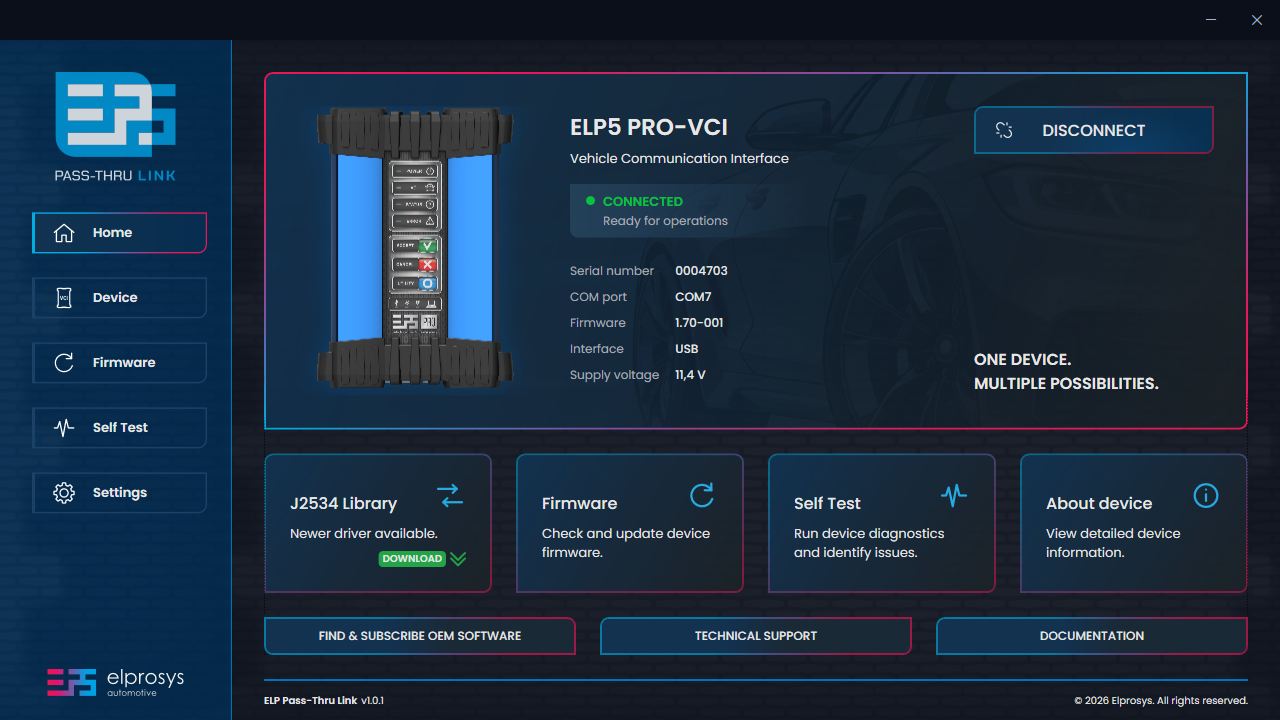
- Licence
- Free application
- Operating system
- Windows 10 / 11
- Driver
- SAE J2534
- Account
- Not required
Download & requirements
Ready for your
first connection.
Install the application on a supported Windows PC, then connect ELP5 PRO-VCI to activate the interface and configure its J2534 driver.
Download
Download available soon.
Need ELP Pass-Thru Link now? Contact us.
System requirements
- Operating system
- Windows 10 or 11, 64-bit
- Internet
- For activation and firmware updates
- Rights
- Administrator rights to install the J2534 driver
*OEM software has its own PC requirements. Check them with the vehicle manufacturer.
Application overview
ELP Pass-Thru Link
at a glance.
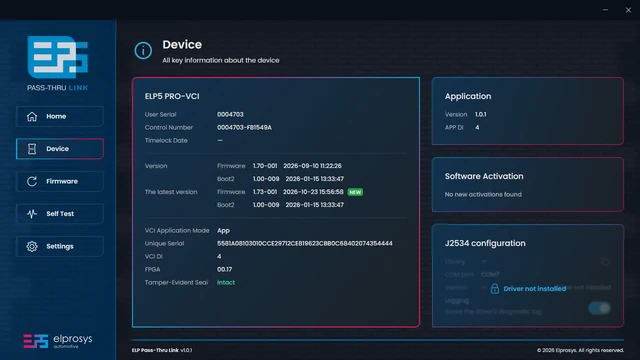
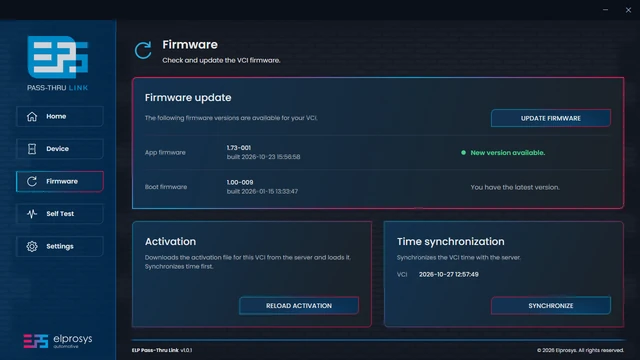
Explore the application’s core functions and user interface. You don’t need to register or log in to use ELP Pass-Thru Link.
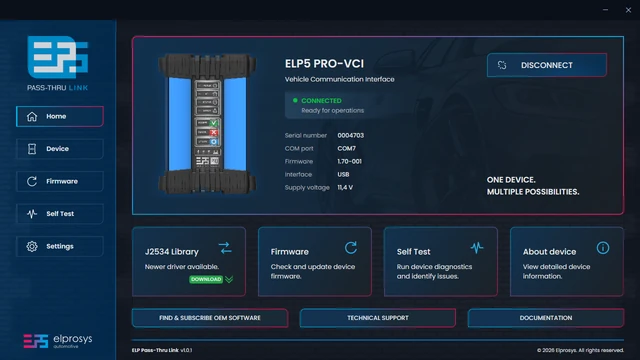
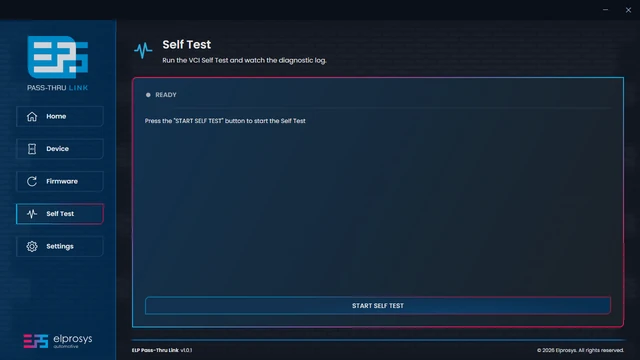
Home screen
Device screen
Firmware screen
Self Test screen
-
Activation
Downloads and activates your VCI using the Elprosys server. Requires an internet connection for first-time setup.
-
J2534 driver
Installs and configures the J2534 driver, enabling communication between your VCI and OEM diagnostic software.
-
Firmware update
Updates your VCI firmware to the latest available version. Requires an internet connection and a connected device.
-
Self Test
Runs built-in VCI diagnostics to check device operation and displays detailed test results in a log.
Getting started
From installation to
OEM diagnostics.
4 steps from downloading the application to the first session in OEM software.
-
Download and install ELP Pass-Thru Link
Windows 10 or 11, 64-bit.
Download ELP Pass-Thru Link → -
Connect and activate the VCI
Connect ELP5 PRO-VCI to the vehicle's OBD port and to your PC. In the app, open Firmware → Activation (needs an internet connection).
-
Install the J2534 driver
Use the J2534 Library tile on the app's Home screen. Windows asks for administrator rights.
-
Start the OEM software
Buy a subscription from the carmaker and select ELP5 PRO-VCI as the J2534 device.
Where to buy OEM software →
Need help?
Installation step by step, troubleshooting and answers to common questions are on the Support page.