
Technical assistance
Support for
every connection.
Installation, troubleshooting and answers about ELP5 PRO-VCI, ELP Pass-Thru Link and OEM software.
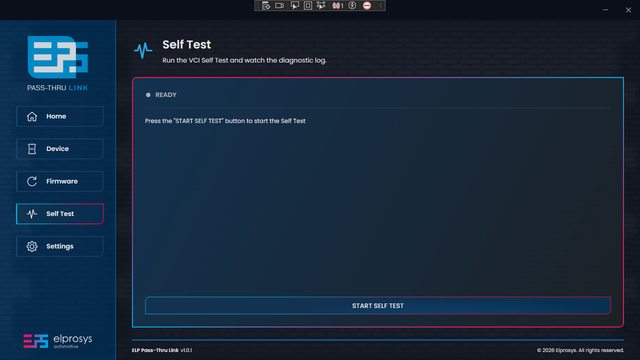
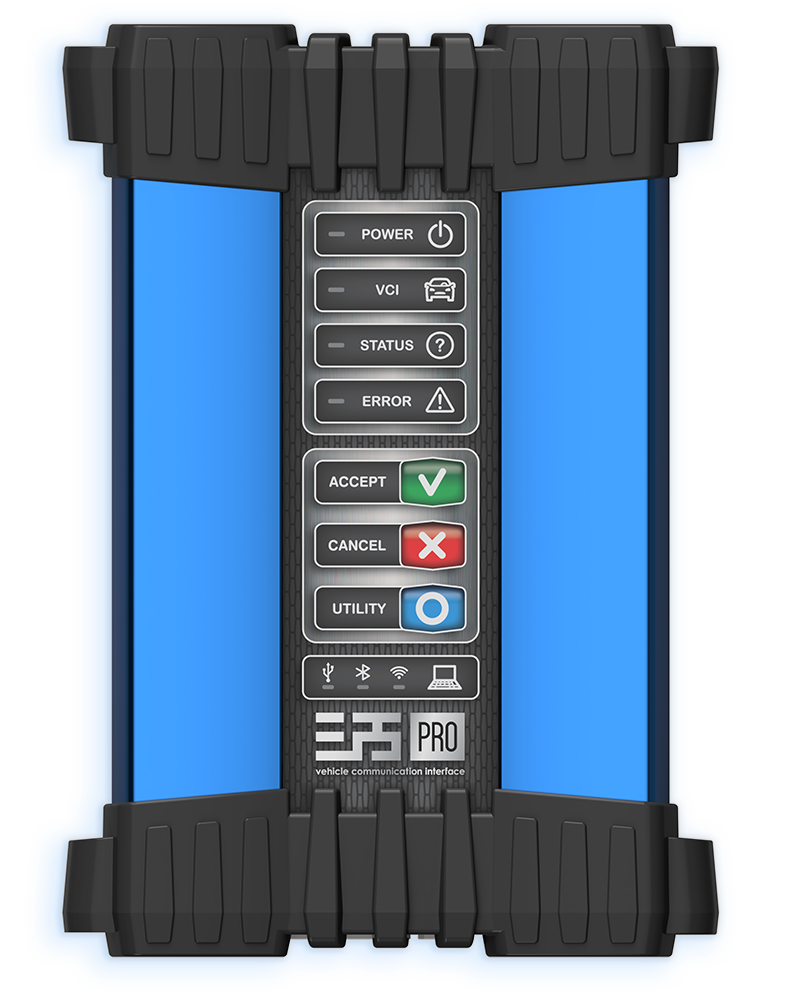
Installation step by step
-
Install ELP Pass-Thru Link
Download the installer and run it. Windows 10 or 11, 64-bit. The app installs for your user account, without administrator rights.
Download ELP Pass-Thru Link →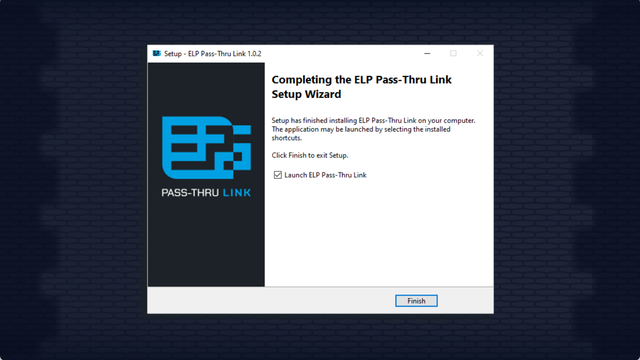
-
Connect the VCI
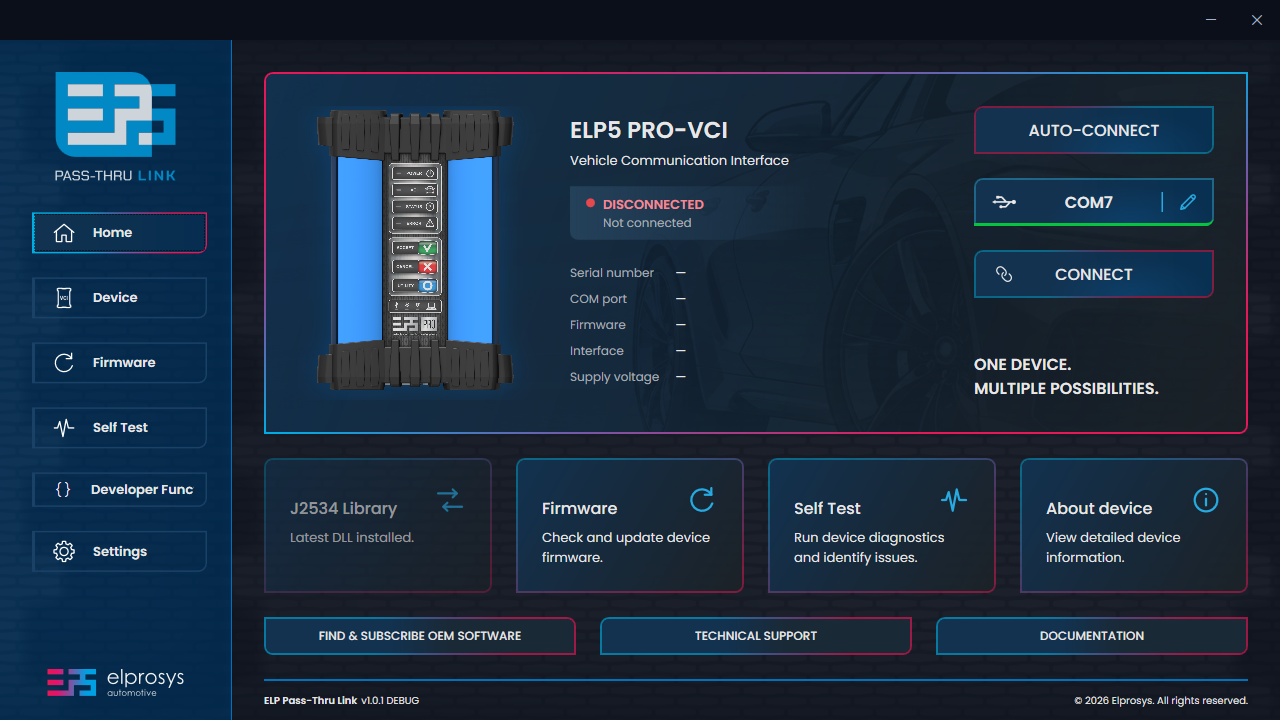
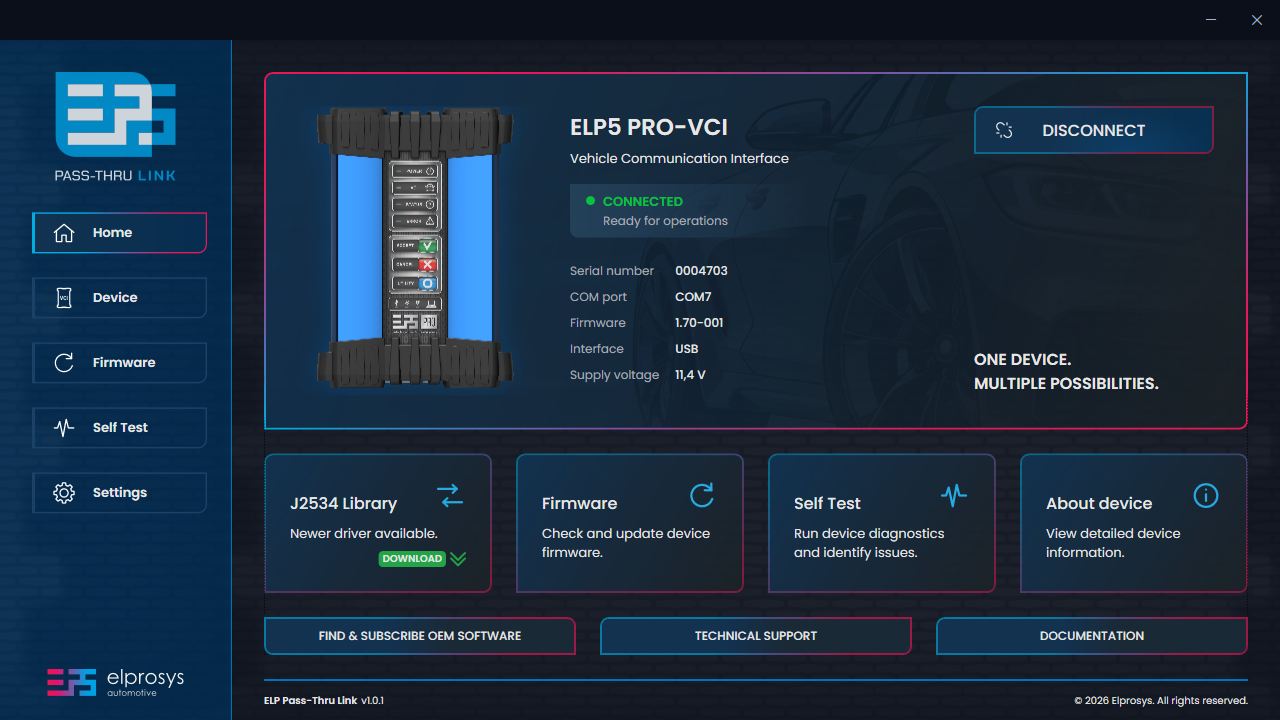
Connect ELP5 PRO-VCI to the vehicle's OBD port and to your PC with the USB cable. On the Home screen click Auto-connect, or type the COM port (for example COM8) and click Connect.
-
Activate the VCI
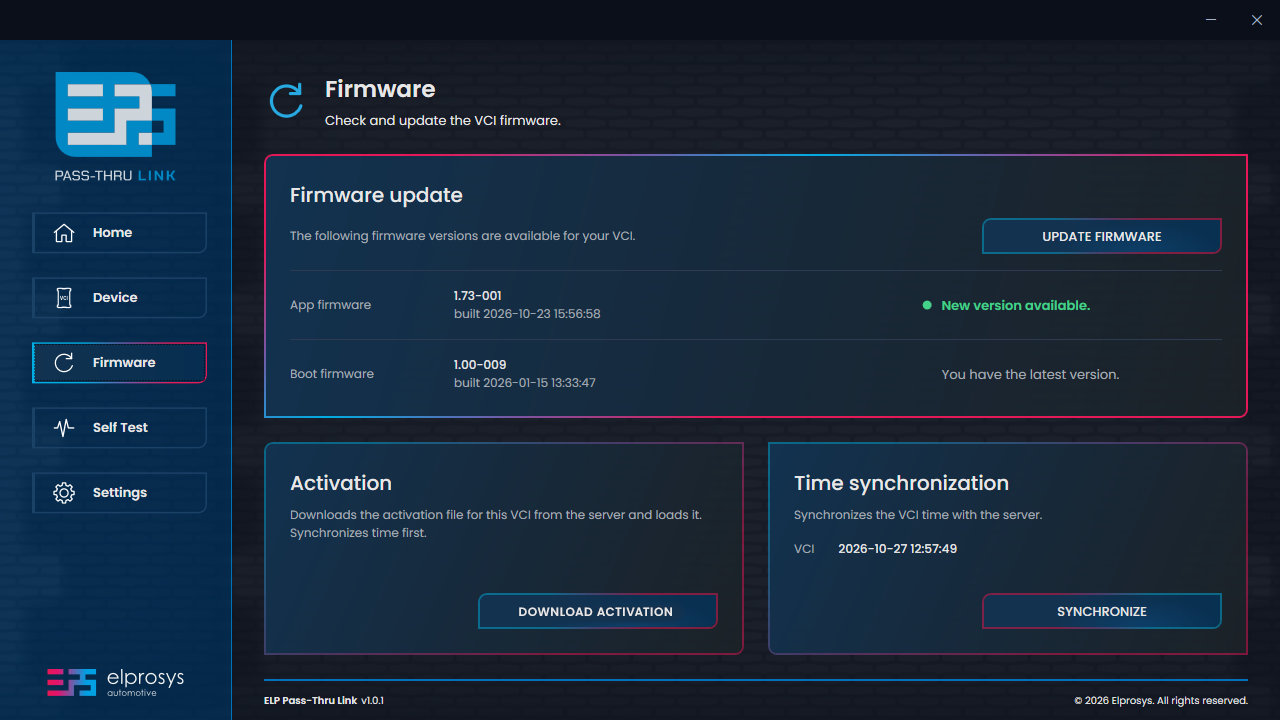
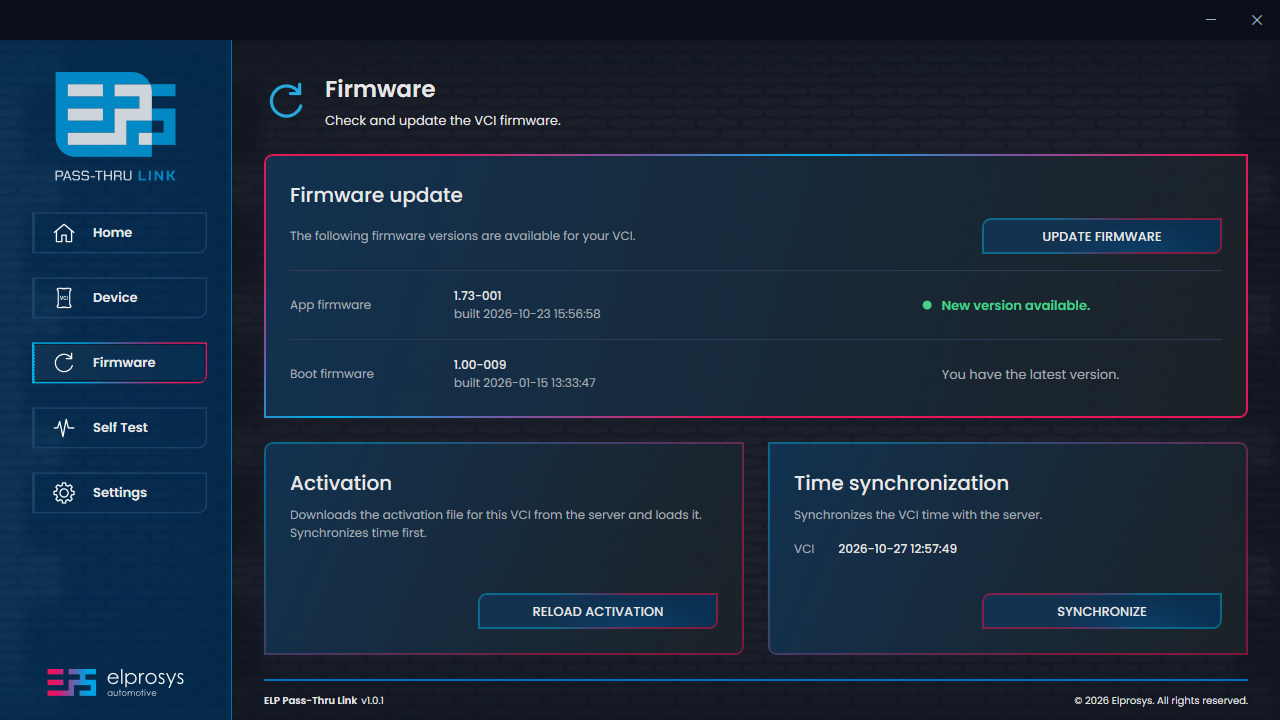
Open Firmware and click Download activation in the Activation card (Reload activation when the newest one is already loaded). The app synchronises the time, downloads the activation file of your VCI and loads it. Needs an internet connection.
-
Update the firmware
On the same screen, Update firmware is active when a new version is available. The VCI restarts on its own to apply it.
-
Install the J2534 driver
On the Home screen click the J2534 Library tile (marked DOWNLOAD). The first time, the driver installer opens: follow it and allow administrator rights when Windows asks.
-
Check the driver
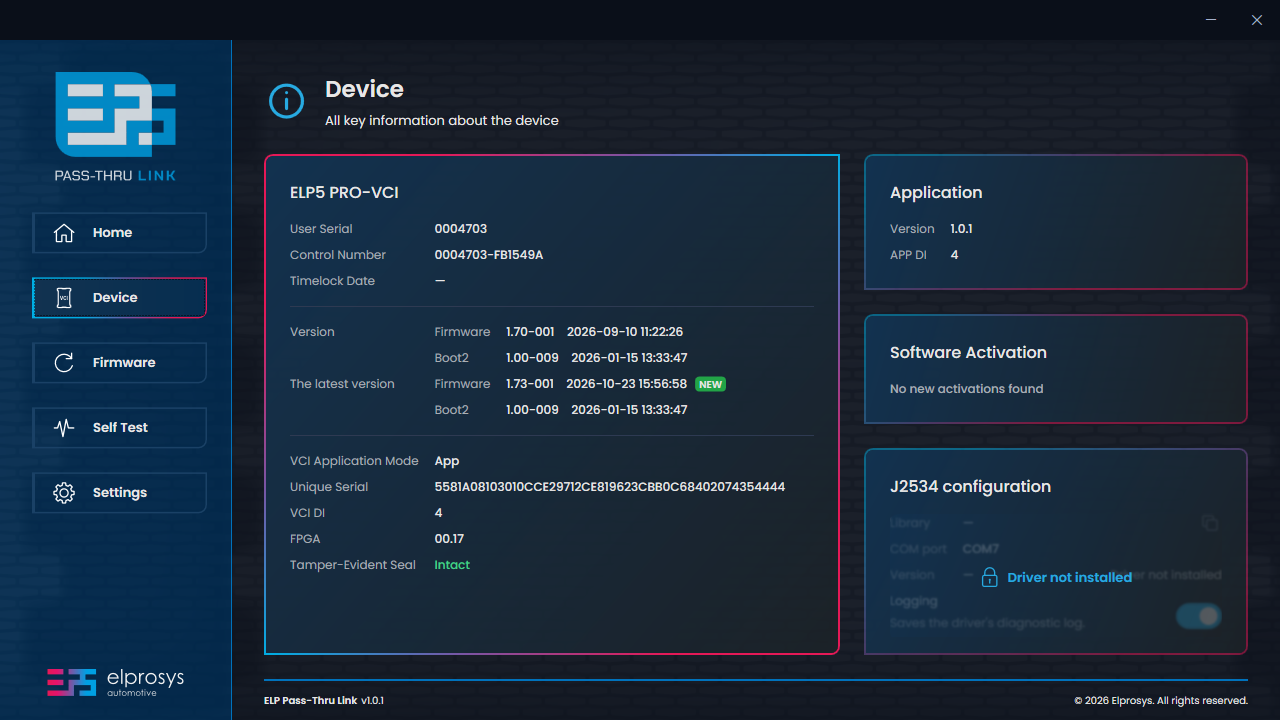
Open Device and check the J2534 configuration card. After installing the driver, confirm that the library, COM port and “Driver is up to date” status are shown.
Troubleshooting
The OEM software does not see ELP5 PRO-VCI
The J2534 driver is 32-bit and uses the J2534 API version 04.04. The OEM software must support this J2534 version.
Open Device in ELP Pass-Thru Link. If the J2534 configuration card says “Driver not installed”, install it with the J2534 Library tile on the Home screen. If the COM port says “Not set”, connect the VCI: the port is saved for the driver on every connection.
Installation cancelled - administrator privileges were not granted
The app shows “Installation cancelled - administrator privileges were not granted.” Click the J2534 Library tile again and allow the Windows prompt. The driver writes to the system registry, so it cannot be installed without these rights.
Which COM port do I use?
You do not need to know it: Auto-connect searches all COM ports until it finds the VCI (Stop ends the search). You can also type the port, for example COM8, and click Connect. The VCI must be connected with the USB cable.
If there is no answer for 30 seconds, the app shows “Connection failed”. Restart the VCI and the app, then try again.
Activation or the firmware update fails
Both need an internet connection and a connected VCI, and only one operation can run at a time: wait until the current one ends. If the app says “Unauthorized — reconnect the VCI.”, disconnect and connect the VCI again.
If the app cannot reconnect after a firmware update, go to the Home screen and connect again. When the VCI starts in Boot mode, the app offers to download and flash the firmware.
FAQ
Frequently asked questions about J2534 Pass-Thru and ELP5 PRO-VCI.
What is a J2534 Pass-Thru device?
A hardware interface between a PC and a vehicle, defined by the SAE J2534 standard. OEM software on the PC talks to the vehicle's control units through it, for diagnostics and reprogramming.
Do I need a separate licence for OEM software?
Yes. OEM diagnostic and programming software is licensed by the vehicle manufacturer, usually as a subscription on the manufacturer's service portal. ELP5 PRO-VCI is the interface the software uses. See where to get OEM software.
Which OEM applications work with ELP5 PRO-VCI?
[TODO: verified list of OEM applications]
Functionality depends on the OEM software subscription and on support for the specific vehicle.
How do I install the J2534 driver?
Install ELP Pass-Thru Link, connect the VCI and click the J2534 Library tile on the app's Home screen. See installation step by step.
How do I select ELP5 PRO-VCI in the OEM software?
Connect the VCI, start the OEM application and choose ELP5 PRO-VCI from its list of J2534 devices, usually in the connection or interface settings. [TODO: exact device name shown in the J2534 device list]
Which versions of Windows are supported?
Windows 10 and 11, 64-bit. Installing the J2534 driver needs administrator rights, and Activation needs an internet connection. The OEM software may have its own PC requirements, so check them too.
What is the difference between J2534-1 and J2534-2?
SAE J2534-1 defines the core interface and the vehicle protocols used for reprogramming. SAE J2534-2 adds optional extensions that some manufacturers require, for example extra CAN channels or single-wire CAN.
Does ELP5 PRO-VCI support CAN FD and DoIP?
Yes. ELP5 PRO-VCI supports CAN FD up to 5 Mbit/s and DoIP (ISO 13400), and has three independent CAN channels. See the specification.
How do I update the VCI firmware?
In ELP Pass-Thru Link, open Firmware. When a new version is available, click Update firmware. It needs an internet connection and a connected VCI.
Where can I get technical support?
Write to us through the contact form or at office@elprosys.com. Describe the vehicle, the OEM software and what happened.
Documentation
User manual
ELP5 PRO-VCI and ELP Pass-Thru Link (PDF).
Quick start guide
From unboxing to the first OEM session (PDF).
Contact service
Describe the vehicle, the OEM software and what happened. Add the VCI serial number and the app log: by default in %LocalAppData%\Programs\ELP Pass-Thru Link\logs.